Cyberattacks are increasingly frequent, and if your business doesn't update and strengthen its cybersecurity, it could be the next victim.
Most people don't know that cybersecurity isn't as complex as it seems; the precautions you need to take are more about practicality and common sense — which doesn't mean it's all very simple.
In recent years, many companies were forced to transition to remote work or at least incorporate some form of it into their daily routine.
This led to an increase in cyberattacks against small and medium-sized businesses (SMBs) during this transition.
Although cyberattacks aren't entirely new, they seem to be becoming more and more common.
But why do hackers specifically choose smaller companies?
How is cybersecurity different for SMBs?
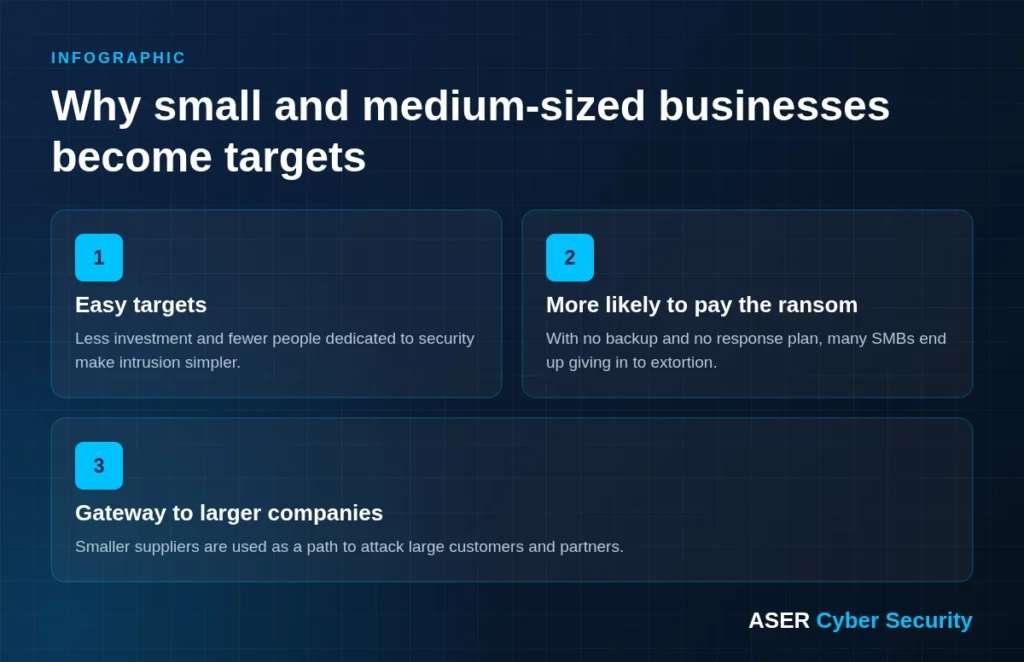
Small businesses are easy targets
Although headlines focus on major security breaches at large companies, small and medium-sized businesses are actually the most common victims of cyberattacks.
Even though the rewards may be smaller, cybercriminals see smaller organizations as easy targets because, due to a lack of awareness and resources, they usually invest less in IT security.
Higher chance of ransom payments
Faced with the choice between paying a ransomware demand that could get them back online or enduring a long period of downtime, smaller companies usually feel they have no choice but to pay the ransom in the event of an attack.
With no one to turn to for help, this is especially true for those without access to cyber incident specialists — payment becomes the only viable option.
This makes the attack success rate much higher among SMBs.
A “gateway” to larger organizations
Many companies are electronically connected to the IT systems of a number of partner organizations.
So when cybercriminals seek to infiltrate these larger (and more secure) organizations, they target their suppliers to gain easier entry into the big systems.
What are the main cyber threats SMBs face?
Cybercriminals use a range of different methods to carry out attacks.
Below are the most common types used against small and medium-sized businesses:
- Malware.
Malware is a generic term for malicious software, including viruses, spyware and trojans.
The malware lets criminals gain access to important information, such as bank or credit card numbers and login credentials.
It can be used by criminals to spy on or even take control of a victim's system.
That's why small and medium-sized businesses are lucrative targets for criminals, since most of them don't have the resources to detect and fight malware efficiently.
- DDoS:
A distributed denial-of-service (DDoS) attack occurs when a server is intentionally overloaded with requests until it takes down the target's website or network system.
The attacker uses one of the many available methods and tools to flood the target with a barrage of malicious or nuisance requests, or to abuse a protocol or inherent vulnerability so that the system can no longer respond to requests.
- Ransomware.
Ransomware is a form of malware that encrypts a victim's files, systems or networks.
A ransomware attack can bring a company to its knees, with an attacker holding its systems hostage until the ransom is paid.
As we said earlier, small businesses can be particularly vulnerable, as they are less likely to implement cybersecurity measures that could help prevent and recover from ransomware.
Find your company's gaps before criminals do
With the ASER Vulnerability Management, your assets are continuously checked and you receive a prioritized remediation plan.
How can these cyber threats be prevented?
Of course, your employees are good people.
The chances are high that they would never intentionally do anything to harm your business.
But human error is the cause of most cyberattacks in the business world.
It's not because people are trying to be malicious, but the result of avoidable mistakes.
With this in mind, we can't assume that every employee knows and understands IT security best practices.
Here are the main ways employees can make your company vulnerable to a cyberattack:
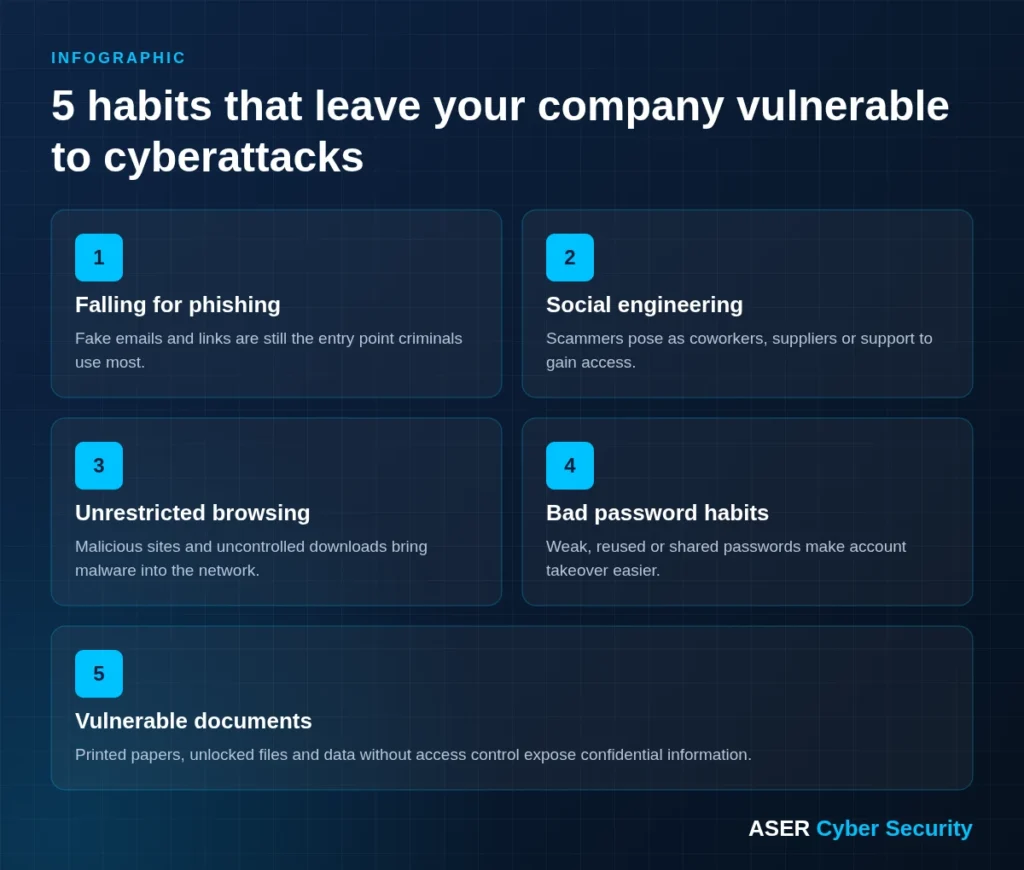
Falling for phishing scams and links
The phishing scams are designed to trick people into providing valuable information.
The most common type of phishing attack a company can face is an email scam.
Employees receive emails that appear to come from legitimate sources, but the real goal of these emails is to trick people into providing confidential information.
The phishers try to convince people to install malicious software or hand over information under false pretenses.
That's why companies need to train (and regularly test) their employees to prevent phishers from gaining access to this information.
The phishing attacks and link scams are becoming more advanced, and a company's technology can't always keep up.
For this reason, it's important that employees can recognize the signs of a cyberattack instead of relying only on the company's IT defenses.
Becoming a victim of social engineering
Social engineering is a form of attack that could be called a “con”.
It involves manipulating people into breaking normal security procedures, often by appealing to their willingness to help.
For example, the attacker may pretend to be a coworker with some kind of urgent problem that requires access to additional network resources.
To prevent social engineering attacks, companies need clear security procedures.
These procedures should include documentation of who has access to which information.
This way, there can be no hesitation or doubt; the rules are clear.
???? Does your team recognize a scam? Test and train your employees with the ASER Phishing Platform — realistic phishing, smishing and social engineering simulations.
Unrestricted web browsing
For many job roles, the internet is an invaluable resource. But browsing online can also mean sailing in dangerous waters.
Many web browsers come equipped with features that help protect users from nasty websites or ads, but the risks still exist.
Using a filtering system, employees can be prevented from accessing websites known to be malicious.
For this reason, implementing restrictions isn't simply about making sure your employees don't waste time on YouTube or play games during work hours.
The goal is to take serious measures to protect your network while maximizing your workforce's productivity.
???? Uncontrolled browsing is an open door for malware. The managed ASER UTM Firewall filters web content, blocks threats and is run 24×7 by our team.
Bad password habits
Your company undoubtedly uses many applications, such as email, project management tools and accounting software, to make work easier.
Proper password management isn't always common sense.
That's why we understand that employees really need to learn best practices for creating and protecting their passwords.
Password management should cover the basics, such as creating a secure password, never writing a password down and changing passwords every few months.
Simply telling employees the best practices may not be enough.
So go a step further and make password protection a company policy.
Put password changes on the calendar and make them mandatory.
Sometimes employees complain that changing passwords so often, and not being able to write them down, makes them very hard to remember.
If that's the case, use a password tool to securely store and save all your company's passwords.
Set user-level permissions for who has access to which password.
Vulnerable document processes
Printing, storing and sending confidential documents is another security risk for your business.
Printers are so ubiquitous that many companies don't realize they are also a security risk.
But today's printers are advanced, and many are full networked computers that are vulnerable to cyberattacks, especially if they aren't properly updated with password changes and the latest security patches.
Although data theft is a real possibility with printers (and security measures such as encrypted connections and proper destruction of printer hard drives should be implemented), employees' printing behavior presents the same risk.
Here are some document-related employee habits that can be dangerous for your company:
- Printing confidential information and leaving it lying around;
- Leaving file cabinets unlocked or otherwise accessible;
- Storing documents in multiple places, such as in paper files and on your company's server;
- Being careless about who has access to files with confidential information.
All of these habits can be changed through education, awareness and policies.
Once business leaders understand the document security risks in their organization, the right measures can be implemented to prevent damage.
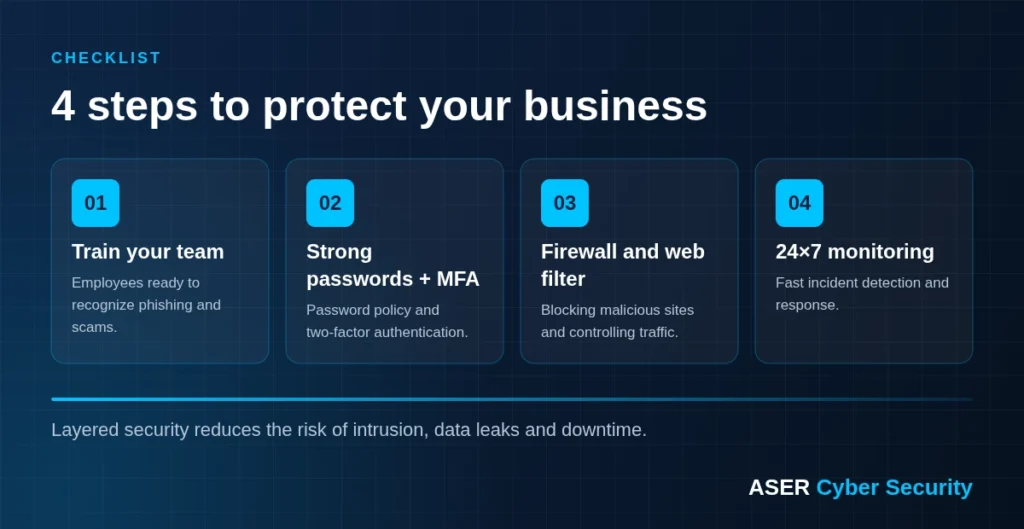
Protecting your business
As you can see, cybersecurity isn't as complex as you imagined.
You just need to be prepared to act in risky situations and do your part.
If you feel unsure about your business's security, consider the issues we raised throughout this article and do something about it.
The Monitoring software, restrictions and security measures are vital components of any IT plan.
However, the human element of cybersecurity can never be neglected.
With all this in mind, what really helps companies is hiring a cybersecurity system and consulting service that automatically eliminates 95% of attack risks.
Learn about our cybersecurity solutions by talking to one of our specialists.
Is your company ready for the next attack?
For more than 20 years, ASER has protected Brazilian companies with 100% managed security. Talk to an expert and get a free assessment of your business risks.