
With the constant use of smartphones comes the constant risk of cyberattacks that infect your phone with malware.
In the internet age, all of our gadgets are susceptible to being affected by malware.
It's easy to forget that the device in your pocket isn't just a phone.
After all, it resembles a computer millions of times more powerful than the systems used for the Moon landings in 1969.
But as smartphone use increases, so does malware targeting mobile devices.
Malware (or ‘malicious software’) is a program designed to secretly control a device and steal private information.
Although there is no simple way to find out whether a phone has been affected, there are several symptoms, as we'll see below, that may indicate a problem is very likely.
Why are criminals targeting smartphones?
The number of cyberattacks on mobile phones has been increasing year after year – and that's no surprise: mobile devices are the ideal target for hackers.
Here are just a few reasons why:
- People usually assume their smartphones are not infected by viruses and malware, so they don't take extra steps to protect them;
- Almost everyone uses a mobile phone daily, so there are many opportunities for attack;
- Smartphones carry large amounts of detailed data about their users, including financial information, sensitive images, social media data, location data and passwords;
- Criminals can infiltrate devices and listen to personal phone calls to collect confidential data, such as bank account details or business plans;
- Many smartphones today are used only for work matters.
This way, criminals can gain access to a corporate system through a careless employee's mobile device;
- Smartphones also contain powerful processors.
If criminals can penetrate a device, they can use that computing power to mine cryptocurrency or process data; as a result, your smartphone will run slowly and inefficiently.
How to find out in practice whether there is malware on a smartphone?
If you want to find out whether your personal smartphone or a company device is infected, pay attention to the tips we list below:
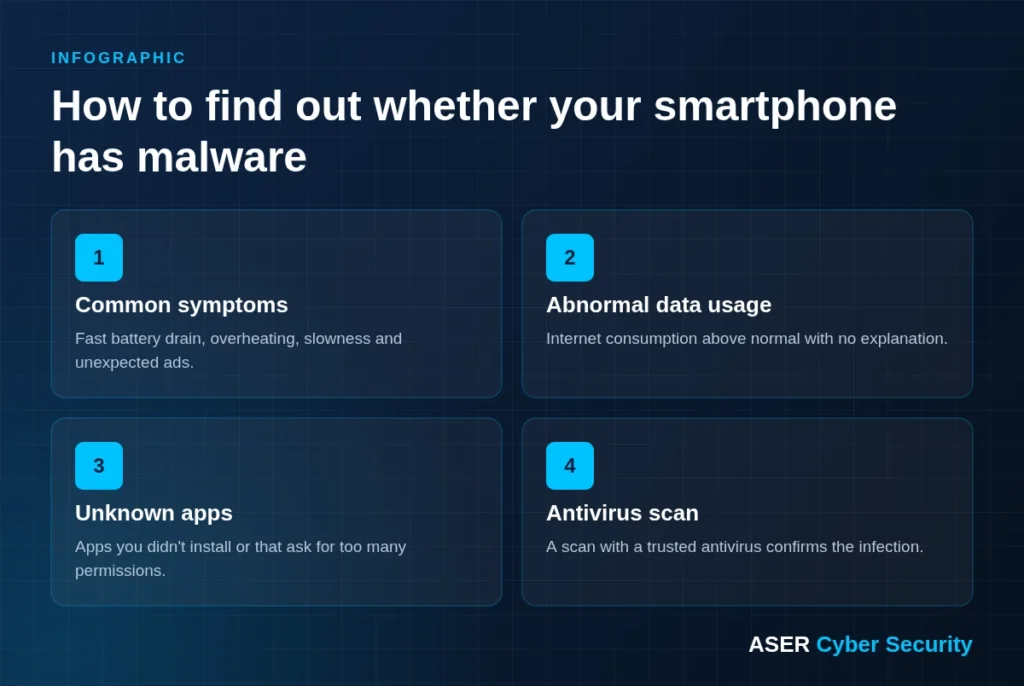
Look for common malware symptoms
A phone infested with a malicious app will show signs of slow performance.
The malware will consume resources in the background, making your phone slow down or freeze frequently.
You'll also notice the phone getting warmer than usual.
Also, if you see pop-up ads on your phone, there is some kind of adware on your device.
Go through the list of recently installed apps, or check the recent apps list while an ad is displayed, to find out who the culprit is.
Check your data usage
Another characteristic of malware or viruses on phones is abnormally high data consumption.
The malicious app may continuously upload your data, such as contacts and photos, in the background, causing an increase in data usage.
It may also be adware generating clicks in the background, or an app trying to use your phone's hardware to mine cryptocurrency.
Go to your phone's settings, check data usage and look for apps with high consumption.
Check downloaded apps
Another way to find viruses or malware on your phone is to check for apps you don't remember installing.
So go to settings and look for apps that seem suspicious or that you don't remember installing.
Run an antivirus scan
Install an antimalware app and run a scan on your phone.
It will automatically detect threats and ask for action if necessary.
You can use any reputable antivirus app, including Malwarebytes, ESET Mobile Security, Norton Antivirus, etc.
Employees' smartphones are a security risk for many businesses
As we said earlier, employees are spending more time than ever on their phones.
Smartphones are a constant companion in our personal lives and have also become an integral part of our professional lives.
But could the devices we find so hard to put down be a threat to the security of an entire company?
A typical employee probably has access to work email on their phone, downloads attachments and uses a file sync and share solution to access work information remotely.
Unfortunately, this can pose a major threat to the security of the personal data of the company's employees, customers and business partners.
However, this threat is only real if you don't have the right security measures in place.
Are your company's apps secure?
The ASER's Mobile Pentest performs penetration tests on Android and iOS apps to find flaws before they are exploited.
So how do I protect my business against these security problems?
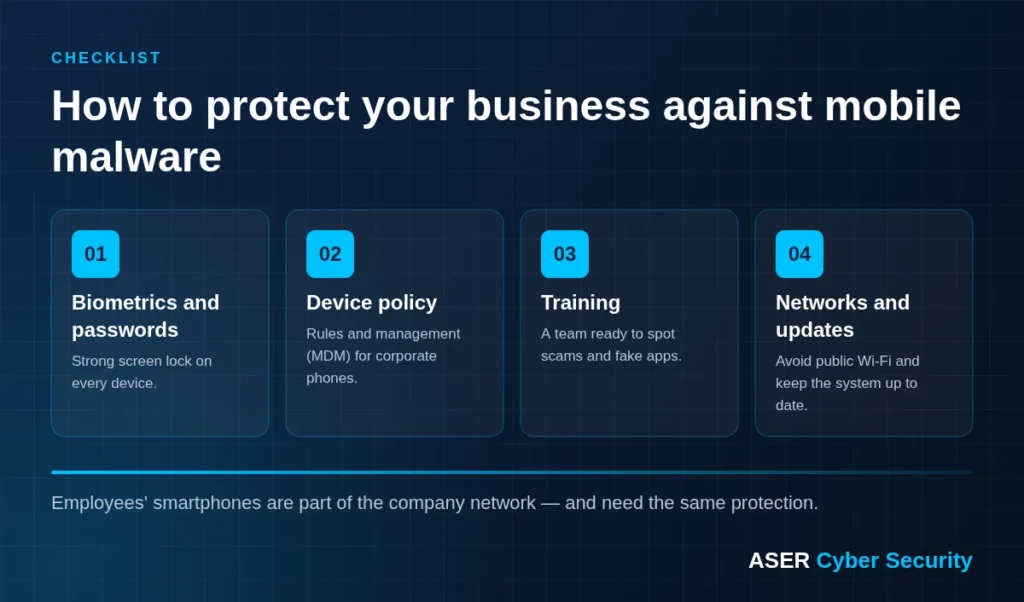
Passwords, fingerprint and facial recognition
Mobile devices are a key to accessing confidential business data.
Therefore, lost or stolen devices can be extremely dangerous for any business.
If smartphones can be unlocked simply by swiping or pressing a button, criminals will have much easier access to your data.
In fact, if it's that easy, anyone who finds your phone can browse your personal information; even if they have no bad intentions at first, this still represents the potential for a serious data breach.
Therefore, you need to make sure all employees use passwords, fingerprint authentication or facial recognition technology as the first line of defense.
Mobile device management policies
Additional measures must be taken to protect devices in case of loss or theft.
With mobile device management policies, you can easily apply additional security controls to all devices that store corporate data.
For example, you can introduce an extra layer of password protection for all employees trying to access company email on mobile devices.
This process is not only quick and easy to deploy, but also easy to demonstrate to the authorities if needed for compliance reasons.
Education is key – train your employees
People are the number one vulnerability when it comes to cybersecurity.
That's why, if a company's employees aren't trained to identify and handle potential cyberattacks, they can easily put your company at risk.
For example, phishing attacks are particularly common.
In this type of attack, criminals contact your employees by email or message, posing as a legitimate team member.
They do this by imitating email addresses, changing one or two letters or punctuation marks to make them look genuine.
These emails ask employees to perform tasks such as transferring money to the criminal's bank account, clicking a link or downloading a malware.
They usually pose as a senior team member and add urgency to the task to try to make employees act quickly without thinking.
These types of attacks can be incredibly convincing and, without proper training, employees can easily mistake a malicious email address for a legitimate one, putting your company at risk of financial loss and reputational damage.
???? Ongoing training makes a difference. With the ASER Phishing Platform, your employees learn to recognize scams via SMS, email and messaging apps.
Beware of insecure networks
If your employees work remotely, they will probably access Wi-Fi networks or use the data provided as part of the company's mobile plan.
One of the biggest risks your company faces here is employees sharing information on public networks, such as the Wi-Fi available in a café or an airport.
If your employees use their mobile phones for business purposes, you should make sure they are aware of the risks of sending confidential information over these types of networks and advise them not to do so if possible.
Don't forget updates
Just as new security threats are constantly emerging, technology companies are developing fixes or patches to fight them.
This means phones need frequent updates to stay secure.
You should educate your employees on the importance of keeping their mobile devices up to date.
Mobile devices receive monthly security updates that include the latest operating system patches as well as brand-specific updates.
These updates can easily be checked and tracked in the ‘Settings’ tab.
To wrap up
Providing a smartphone can be a great benefit for employers, not only for improving productivity but also for improving communication and talent retention (giving employees devices to work from home and flexibly).
However, this choice also has its challenges, so it's important to pay attention to mobile security and instill good habits in your employees.
As long as there are internet-enabled devices, there will be people who exploit them to harm others.
However, with some good mobile security practices and a few additional protection tools, you can reduce these threats to a minimum and prevent your employees' data, and of course your company's, from being compromised.
Finally, it is quite clear that your company needs to find ways to improve security both physically, through training, and by developing security practices in the digital realm.
It should also choose a company to handle its cybersecurity and constantly pursue improvements to its systems.
Count on ASER to take care of and manage your security systems; talk to our specialists and see the difference it makes for your company.
Are your company's phones an open door?
For more than 20 years, ASER has protected Brazilian companies with 100% managed security. Talk to an expert and get a free assessment of your business risks.